Klokly vs Harvest
By Lars Falk Sohl · Last updated: 28 August 2026
Harvest is one of the oldest names in time tracking, with invoicing and expenses built in. Klokly is a newer, smaller tool that does one thing: track your team's hours with one timer and one click. Here is how they compare, and when each is the right choice.
The quick answer
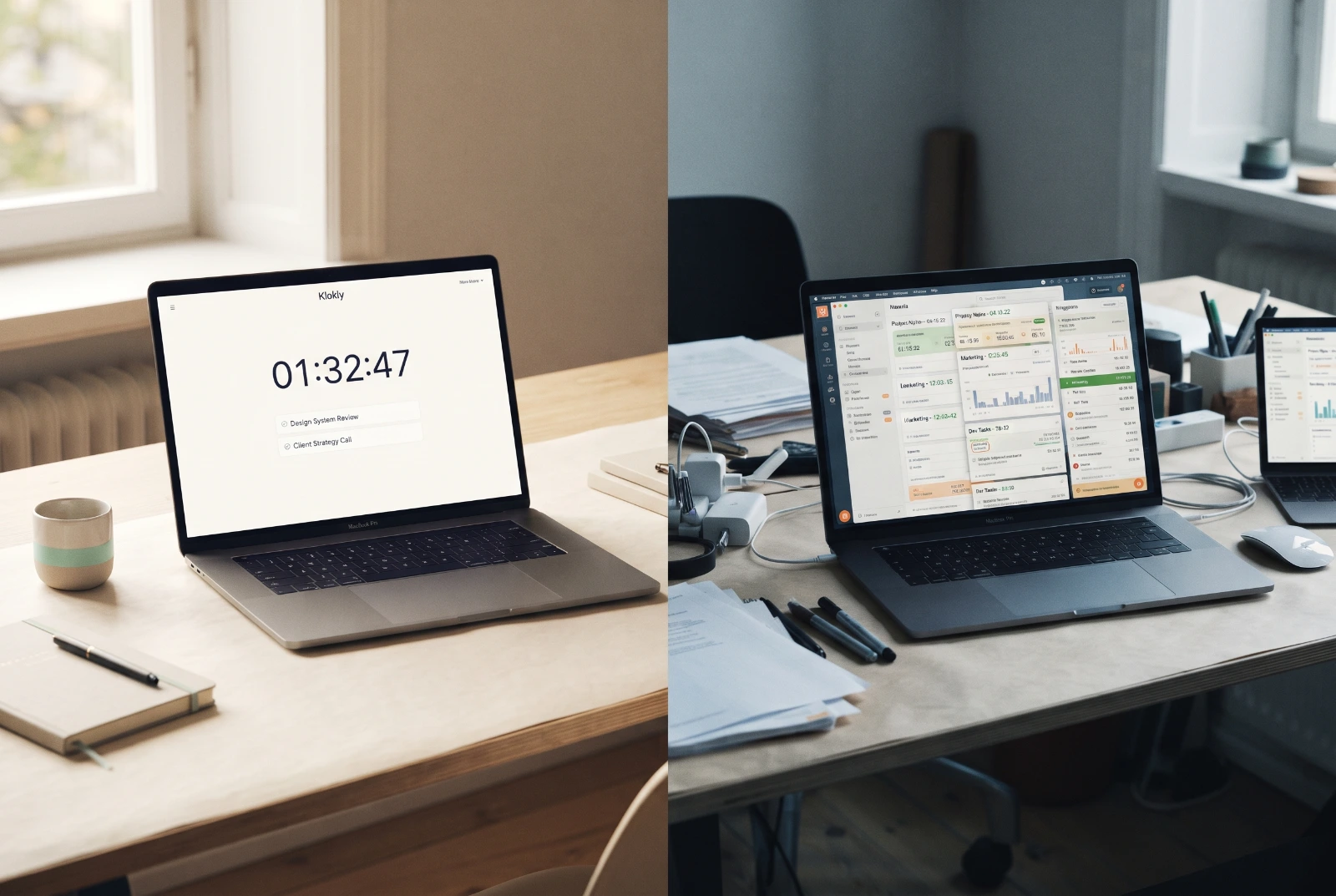
Harvest and Klokly both track time per seat, but they are built for different jobs. Harvest is a workflow: track hours, log expenses, send invoices, connect your project tools. Klokly is a single habit: press one button, let the hours land in a clean timesheet, then export them to wherever billing actually happens. That difference decides most of the Klokly vs Harvest question before you ever open a pricing page.
| Klokly | Harvest | |
|---|---|---|
| Around since | Recently launched | 2006 |
| Core job | Time tracking only | Time tracking plus billing |
| Invoicing | No — export and invoice elsewhere | Yes, built in |
| Expense tracking | No | Yes, built in |
| Integrations | None — web app and Chrome extension (installed from Settings — not yet on the Chrome Web Store) | Integrates with many project tools |
| Pricing | From €2 per seat/month | Per-seat paid plans with a limited free plan (check their current pricing page) |
| Trial | 14 days, no credit card | Limited free plan available |
| Hosting | EU; each company's data isolated at the database level | US company; check their site for hosting details |
| Analytics and tracking cookies | None — no cookie banner | See their privacy policy |
| Exports | Printable timesheets (print or save as PDF) and CSV | Invoicing and expense reports built in |
Who each tool is for
Harvest suits teams that want the money side handled in the same place as the hours. If your agency tracks time, marks it billable, attaches expenses and sends the invoice from one system, Harvest was designed for exactly that loop. Nearly two decades of development show in the breadth of what it covers.
Klokly suits agencies, studios, consultancies and growing freelancers who bill or report on time but already have a home for invoicing — accounting software, a bookkeeper, a client portal. These teams do not need another billing system. They need everyone to actually run the timer, and a timesheet they can hand over without editing.
Where Harvest shines
There is no point pretending otherwise: Harvest is the more capable product.
- Invoicing built in. Tracked hours become invoices without leaving the tool. If that is your workflow, nothing in Klokly replaces it.
- Expense tracking. Receipts and billable expenses live alongside time entries.
- Maturity. Harvest has been running since 2006. Edge cases have been found and fixed, and help resources are deep.
- Integrations. It connects to many popular project tools, so time tracking can sit inside the software your team already uses.
If you rely on any of those four things daily, Harvest is the better choice, and switching to a leaner Harvest alternative would cost you more than it saves.
Where Klokly shines
Klokly wins by carrying less.
- Price. Klokly starts from €2 per seat/month. Seats can be added or removed anytime and billing is prorated, so a ten-person team is not paying for the two freelancers who left in March. Payments go through Stripe; card details never reach Klokly's servers.
- Simplicity. One timer, one click. There is no setup project, no training session, no "which category is this?" pause. The Chrome extension starts a timer from a popup, or from a right-click on selected text — highlight the task in an email, track it.
- Clean handover. Timesheets print properly from the browser (or save as PDF), and CSV export covers everything else. That is usually all a client or an accountant asks for.
- EU hosting and a quiet privacy posture. Klokly is hosted in the EU, and each company's data is isolated at the database level. There are no analytics, advertising or tracking cookies — which is why there is no cookie banner. For GDPR-sensitive teams, that shortens the vendor-review conversation considerably. Details are in the privacy policy.
What Klokly deliberately leaves out
An honest comparison should list the gaps, so here they are. Klokly has no invoicing, no project budgeting or forecasting, no integrations marketplace, and no native mobile apps yet (the web app works on mobile). It also has no screenshots and no activity scoring — that one is a decision, not a gap. The idle auto-stop it does have stops your own timer and reports to nobody. Klokly does not do surveillance, so if you want to monitor what employees are doing minute by minute, it is the wrong tool on purpose.
Choose Harvest if, choose Klokly if
Choose Harvest if
- You invoice clients directly from your time tracker and want to keep doing so.
- You track billable expenses alongside hours.
- You need time tracking embedded in your project tools via integrations.
- You value a long track record over a lower price.
Choose Klokly if
- You already invoice from accounting software and only need accurate, exportable hours.
- Per-seat cost matters — from €2 per seat/month, prorated as the team changes.
- EU data hosting and a no-tracking, no-cookie-banner setup make GDPR conversations easier.
- Your team has quietly stopped using a heavier tracker because it asked too much of them.
The verdict
Harvest is the stronger product if time tracking is one stage in a billing pipeline you want under one roof. Its free plan is capped at 1 seat and 2 projects, and paid plans start at $9 per seat a month, per Harvest's own pricing page. It has earned its reputation since 2006, and its invoicing and expense features are real advantages that Klokly does not attempt to match.
Klokly is the stronger choice if the pipeline already exists elsewhere and the tracker's only job is to capture honest hours calmly and cheaply. As a Harvest alternative for teams that were paying for invoicing they never used, it removes cost and clutter at the same time.
The practical test is simple: look at last month. If you sent invoices from your tracker, stay with Harvest. If you exported hours and billed elsewhere, start a free trial — 14 days, no credit card — and see whether Klokly vs Harvest was ever really a close call for your team.
Harvest's own trial runs 30 days, no credit card required.
Frequently asked questions
- Is Klokly a good Harvest alternative?
- It is if you only need time tracking. Klokly offers one-click timers, printable timesheets, CSV export and EU hosting from €2 per seat/month. If you rely on Harvest's built-in invoicing, expense tracking or integrations, Harvest remains the better fit.
- Does Klokly have invoicing like Harvest?
- No. Klokly deliberately has no invoicing. You export timesheets as printable PDFs or CSV and bill from your accounting software or existing invoicing tool.
- How much does Klokly cost compared with Harvest?
- Klokly starts from €2 per seat/month with a 14-day free trial and no credit card required, and seats are prorated when added or removed. Harvest uses per-seat paid plans with a limited free plan; check their current pricing page for exact figures.
- Where is Klokly's data hosted?
- Klokly is securely hosted in the EU, and each company's data is isolated at the database level. It runs no analytics, advertising or tracking cookies, which is why the site has no cookie banner.
- Does Klokly monitor employees with screenshots or idle detection?
- No. Klokly has no screenshots and no activity scoring by design, and it records the time your team chooses to track, nothing more. The idle auto-stop is opt-in per person and stops that person's own timer — nothing is reported to an admin.
Klokly is simple time tracking for teams — EU-hosted, from €2 per seat per month, with printable timesheets built in.
Start your free 14-day trialMore comparisons
Klokly vs Clockly
Clockly by 500apps is winding down as the company pivots to AI. How Klokly compares — monitoring vs privacy-first tracking, pricing, EU hosting — and how to switch.
Read →Klokly vs Toggl Track
A plain, two-sided comparison of Klokly and Toggl Track — pricing, integrations, EU hosting and printable timesheets, and when each is the better choice.
Read →Klokly vs Clockify: which one fits your team?
An honest Klokly vs Clockify comparison: pricing, invoicing, privacy and EU hosting — including when Clockify's free tier makes it the better choice
Read →