Klokly vs Clockly
By Lars Falk Sohl · Last updated: 28 August 2026
Klokly and Clockly are unrelated products with similar names. Clockly by 500apps pairs time tracking with employee monitoring — screenshots, keystrokes, GPS — and 500apps announced in 2026 it is winding the suite down. Klokly, which publishes this page and sells the alternative, is an EU-hosted timer with no monitoring. Clockly users should export their data during the transition.
The quick answer
| Klokly | Clockly by 500apps | |
|---|---|---|
| Best for | Teams that bill or report on time and want one simple, private timer | Companies that want employee monitoring alongside time tracking, plus the wider 500apps suite |
| Pricing | From €2 per seat/month; 14-day free trial, no credit card | Not sold alone — part of the 500apps suite at $14.99 per user/month (their pages count the suite anywhere from "30+" to "50" apps) |
| Platforms | Web app plus a Chrome/Chromium extension (installed from Settings — not yet on the Chrome Web Store) | Web, desktop apps for Windows, Mac and Linux, and a Chrome extension |
| Monitoring | None, by design — no screenshots, no keystrokes, no GPS | Screenshots at random intervals, per-event keystroke and mouse-click recording, app and URL tracking, GPS/location tracking |
| Timesheets | Printable timesheets (print or save as PDF) and CSV export | Automated timesheets, payroll reports and project budgeting |
| Hosting and privacy | Hosted in the EU; admins see hours per job, never who did what; no tracking cookies | Six datacenters across Asia Pacific, the US, South America and Europe; we found no EU-only residency option |
| Status in 2026 | Independent and actively developed | 500apps has announced the suite, Clockly included, is being wound down as it pivots to its AI platform 500agents |
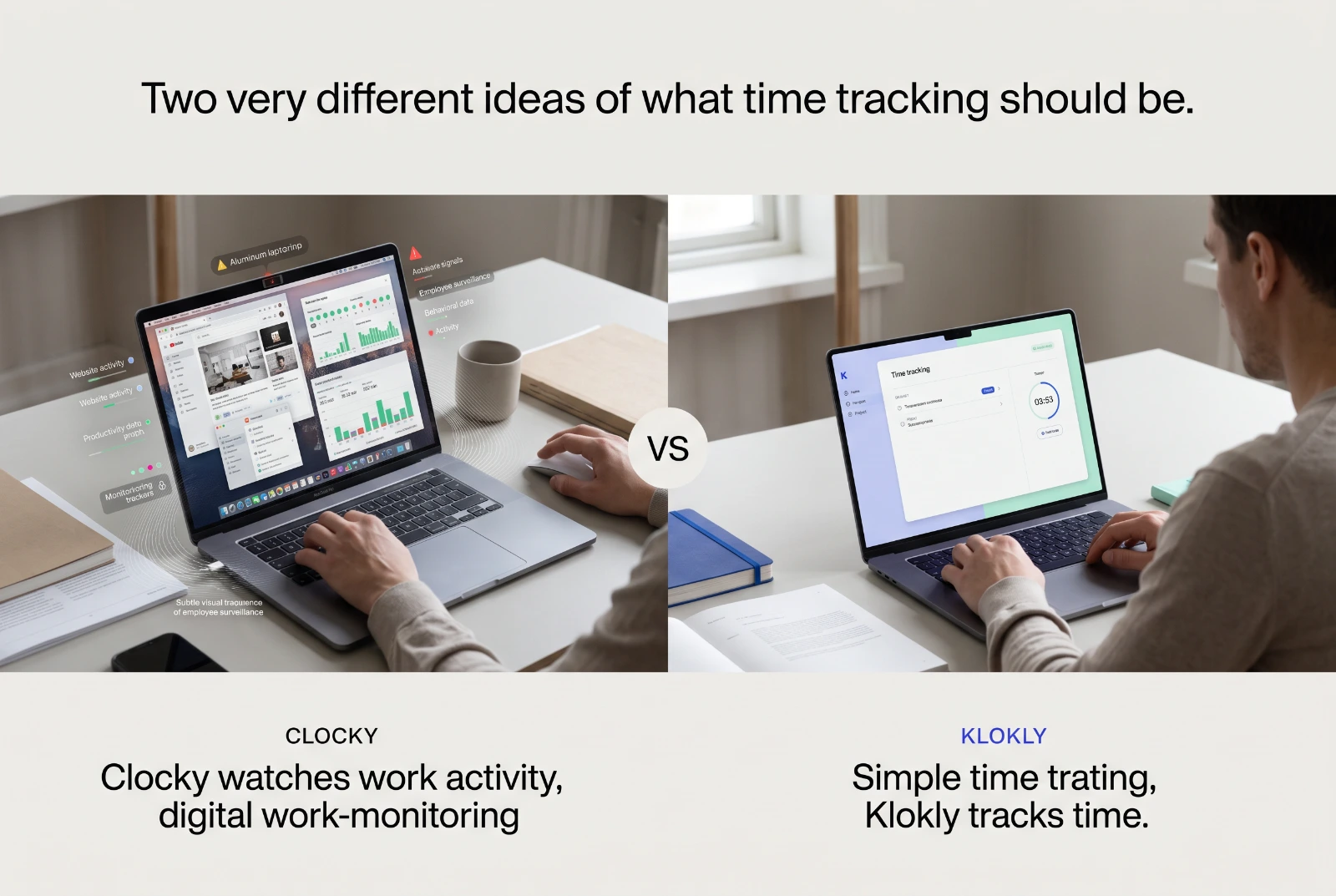
If you take one thing from this comparison, take this: the two products do not just differ in features, they answer different questions. Clockly asks "what are my employees doing?" Klokly asks "how many hours did each job take?" — and refuses, on purpose, to answer the first one.
First: which Clockly?
The name collision is real, and it runs in both directions. Clockly by 500apps (clockly.com) is the established result for "clockly" searches in the time-tracking category. Klokly (klokly.app, this site) is a different, unrelated product — but say "Klokly" out loud and plenty of people will type "clockly" into a search box. There are also several entirely unrelated apps named Clockly — clock-face and alarm apps on the app stores — that have nothing to do with either. This page is about the 500apps one; if you were looking for Klokly all along, the live demo is the fastest way to see it.
What is happening to Clockly
In 2026, 500apps replaced its homepages — clockly.com included — with an announcement: the company is going all-in on 500agents, a conversational-AI platform, and the 500apps suite is being wound down. 500apps' own transition page lays out a 90-day timeline: early access to 500agents opens after 60 days, and the 500apps suite — Clockly included — closes after 90 days. Their notice says products remain live and supported during the transition with no sudden shutoffs, that customer data can be exported by emailing their support team, and that existing customers are offered 500agents at a locked-in founding-member rate.
Treat the details as a snapshot — check 500apps' current status before making plans either way. But the direction is theirs, stated plainly, and it changes the question this page answers. A comparison between a tool that is arriving and a tool that is leaving is mostly a migration guide.
Where Clockly shines — or shone
Being honest about a competitor includes being honest about what it did well.
- Breadth for one price. The 500apps deal was genuinely unusual: one $14.99 per-user price for the whole suite — CRM, support desk, marketing tools and dozens more — with Clockly included. If your company used several of those apps, the bundle economics were hard to argue with.
- Monitoring, if you truly need it. Screenshots at random intervals, keystroke and mouse-click recording, activity levels, app and URL tracking, GPS time stamps. Some industries have compliance regimes where that level of evidence is demanded. If yours is one, Klokly is deliberately not your tool.
- Desktop apps and integrations. Native desktop apps for Windows, Mac and Linux, and advertised integrations with Asana, Jira, Trello, Basecamp and others.
Where Klokly is different on purpose
- No surveillance, by design. No screenshots, no keystroke or mouse recording, no GPS, no activity scoring. Your admin sees hours per job — totals for invoicing — never who did what or when, and every employee can see in Settings exactly which three fields the team page holds about them. The one automatic thing Klokly does is stop a timer you forgot, after however many idle minutes you set for yourself — it tells you, not your boss.
- Price you can explain in one sentence. From €2 per seat/month, prorated when seats change, 14-day free trial without a card. No suite to decode, no tiers.
- EU hosting as a fact, not a footnote. Klokly runs in the EU — database and servers in Ireland — and the site sets no analytics or tracking cookies, which is why there is no cookie banner. Clockly's maker markets six datacenters across four continents and GDPR compliance in its privacy policy; we could not find an EU-only residency option. For a European team, "where exactly does employee data live?" deserves a one-word answer.
- Reports built to leave the app. Printable timesheets — print or save as PDF, with your logo — and CSV for whatever your invoicing tool is.
What Klokly deliberately leaves out
An honest comparison cuts both ways. Klokly has no invoicing, no payroll module, no project budgeting or forecasting, no native mobile apps yet (the web app works in a mobile browser), no integrations marketplace, and no JSON API in the plan — it exists as a paid add-on. And it will never grow the monitoring feature set: if screenshots and activity scores are on your requirements list, a monitoring-first tool is the category to shop in, not Klokly.
Switching from Clockly: a calm checklist
- Export while it is easy. 500apps says data can be exported with their support team's help during the wind-down. Take them up on it now rather than in the final week.
- Keep your records as files. Save final timesheets and pay-period reports as PDF or CSV outside the platform. If you employ people in the EU, working-time records carry statutory retention duties — in Denmark, five years — and "it was in a tool that shut down" is not an answer an inspector accepts.
- Decide what you actually need next. If you used Clockly mainly as a timer and timesheet, you may not need a monitoring suite at all — that is exactly the case Klokly is built for. Try the live demo first, no signup, then start a free trial: 14 days, no credit card, and your team can be tracking on day one.
For Denmark-based teams this is more than tidiness: since 1 July 2024, the Danish Working Hours Act has required an objective, reliable time-registration system for every employee, with records kept for 5 years after the period they cover (Arbejdstidsloven § 4b, retsinformation.dk). Timesheets that only ever lived inside a shuttered tool are a compliance gap, not just an inconvenience.
Choose Clockly — or its successor — if…
- Your compliance regime genuinely requires screenshots, keystroke logs or GPS evidence.
- You are a 500apps customer following the company to 500agents and the founding-member offer suits you.
- You depend on several other 500apps products and want one vendor, accepting the transition risk.
Choose Klokly if…
- Your team bills or reports on time and needs clean, printable timesheets — not surveillance.
- You want per-seat pricing you can explain to your accountant in one sentence.
- EU hosting and a no-tracking stance matter to you, your works council, or your clients.
- You would rather adopt a tool that is arriving than migrate into one that is leaving.
Verdict
A time tracker is a long-term relationship: your billing records live in it.
Clockly bundled real breadth, and for monitoring-first companies it did what it promised. But its maker has pointed the ship elsewhere, and that matters more than any feature row above. Klokly is the narrow, calm alternative: one timer, one click, printable timesheets, EU hosting, and a standing refusal to watch your people. If that reads like a relief rather than a limitation, try the demo — however you spelled the name on the way here.
Frequently asked questions
- Is Clockly being discontinued?
- Clockly is part of the 500apps suite. In 2026, 500apps announced it is winding the suite down as the company goes all-in on its conversational-AI platform 500agents. Their notice says products stay live and supported during the transition and that data can be exported with their support team's help. Check 500apps' own site for the current status before making plans either way.
- Is Klokly the same as Clockly?
- No. Klokly (klokly.app) is an independent, EU-hosted time tracker with no relation to Clockly by 500apps — the names just sound alike. People who hear about Klokly sometimes search for clockly, klockly or klokli; this page exists to keep the two straight.
- Does Klokly take screenshots like Clockly?
- No — by design. Clockly markets screenshots at random intervals, keystroke and mouse-click recording, and GPS tracking. Klokly records only the time your team chooses to track: no screenshots, no keystrokes, no location, and admins see hours per job, never who did what. The one automatic thing it does is stop a timer you forgot, after however many idle minutes you set for yourself.
- How do I switch from Clockly to Klokly?
- Export what you need from Clockly while the wind-down transition is running — 500apps says its support team helps with data export. Keep your final timesheets as PDF or CSV for your records, then start a Klokly trial: 14 days, no credit card, from €2 per seat/month.
Klokly is simple time tracking for teams — EU-hosted, from €2 per seat per month, with printable timesheets built in.
Start your free 14-day trialMore comparisons
Klokly vs Toggl Track
A plain, two-sided comparison of Klokly and Toggl Track — pricing, integrations, EU hosting and printable timesheets, and when each is the better choice.
Read →Klokly vs Clockify: which one fits your team?
An honest Klokly vs Clockify comparison: pricing, invoicing, privacy and EU hosting — including when Clockify's free tier makes it the better choice
Read →Klokly vs Harvest
An honest Klokly vs Harvest comparison: pricing, invoicing, EU hosting and simplicity — with clear guidance on when each tool is the better choice.
Read →