A printable timesheet template that actually gets signed
By Lars Falk Sohl · Last updated: 16 September 2026
A timesheet gets signed when it shows exactly four things: the date, hours worked each day, any unpaid breaks subtracted, and a running weekly total next to a signature line. This guide gives you that layout as a template, the columns it needs, and when to move past printable sheets.
What a good timesheet must contain
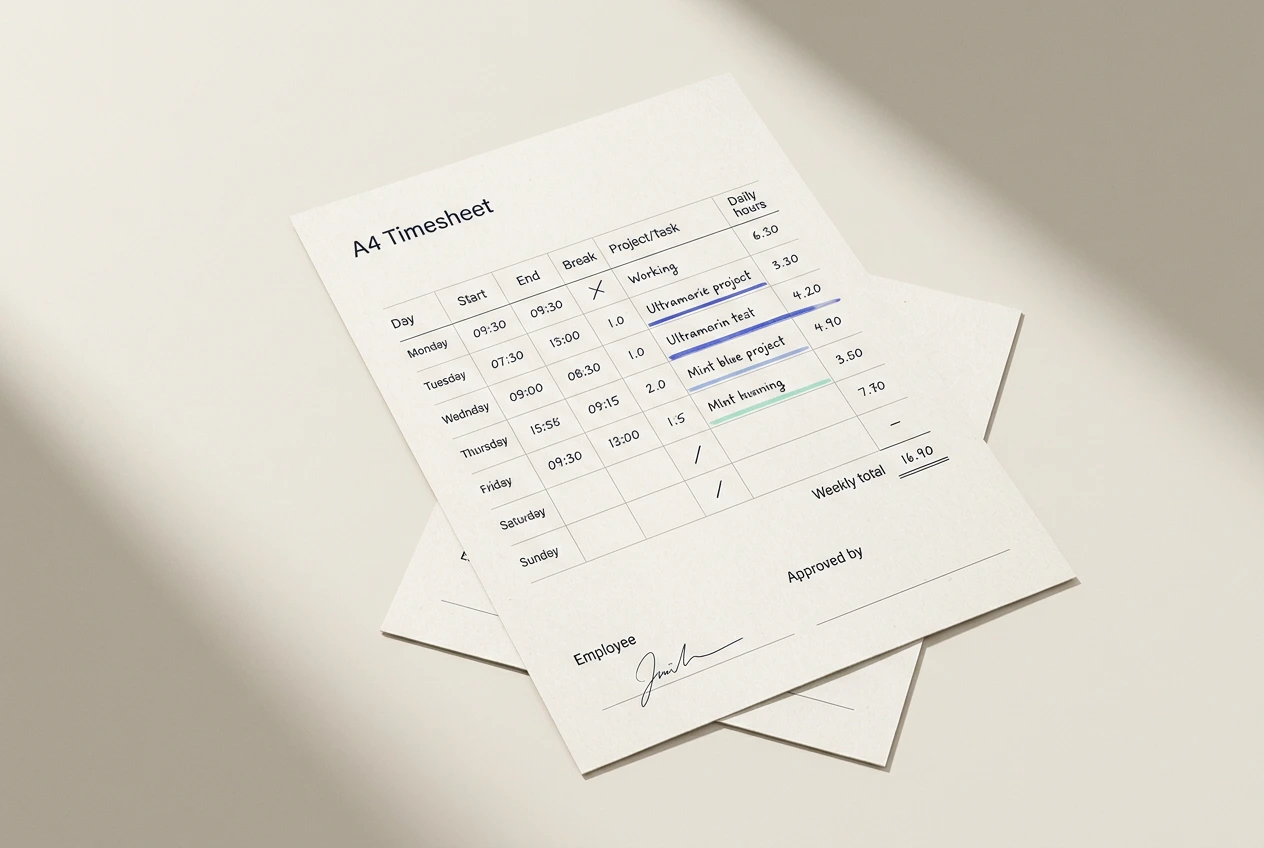
A timesheet has one job: to record who worked, when, and on what, in a form someone can approve. Every column should serve that job. Before you print anything, check your timesheet template covers six things:
- Identification. The person's name, their team or client, and the week beginning date. A sheet without these cannot be filed, matched to payroll, or defended in a dispute.
- One row per day, with start time, end time, and unpaid breaks recorded separately. A single end-minus-start figure hides breaks, and unpaid breaks usually need to be excluded from paid hours.
- A project or task column. For agencies and consultancies this is the column that becomes an invoice line, so it earns its space on the page.
- A daily total. Calculated, not guessed, and checkable by the approver in seconds.
- A weekly total at the bottom that matches the sum of the days.
- A sign-off block with signature and date for both the employee and the approver. An unsigned timesheet is a note. A signed one is a record.
A weekly timesheet template you can copy.
Recreate this table in Word, Excel or Google Docs. Put the identification fields above it — Name, Client or team, Week beginning — and the sign-off lines below. This weekly timesheet fits on one A4 page in landscape.
| Day | Date | Start | End | Break (mins) | Project / task | Hours |
|---|---|---|---|---|---|---|
| Monday | ||||||
| Tuesday | ||||||
| Wednesday | ||||||
| Thursday | ||||||
| Friday | ||||||
| Saturday | ||||||
| Sunday | ||||||
| Weekly total |
Under the table, add two lines:
- Employee signature and date
- Approved by and date
Print in landscape so the task column has room to breathe. The same layout works as a PDF: use Save as PDF or Print to PDF instead of paper, and attach it to an email.
Making it monthly
Resist the urge to squeeze a month into one table. Thirty-one rows and seven columns is unreadable on A4. Use one weekly timesheet per week — that is 4 or 5 sheets per person per month. Weekly totals roll up cleanly, and approvers sign each week while it is still fresh, rather than reconstructing a whole month at once.
A rough benchmark: filling in a paper timesheet honestly at the end of each day takes about 5 minutes. Reconstructing a whole week from memory on a Friday takes closer to 20 minutes, and is far less accurate.
Common timesheet mistakes
- Aggressive rounding. Rounding every entry up to the nearest half hour quietly inflates totals, and clients notice. If you must round, round once at the weekly total, and write the rule down so everyone rounds the same way.
- Missing breaks. If the sheet has no break column, breaks end up inside paid hours on some rows and outside them on others. Inconsistent is worse than either.
- No approval field. Without a named approver and a date, nobody owns the numbers, and queries months later become archaeology.
- Vague task descriptions. "Client work" tells an approver nothing and makes the invoice conversation harder. "Homepage redesign — revisions round 2" takes five more seconds to write.
- Arithmetic errors. Hand-summed columns are wrong surprisingly often, and usually in nobody's favour. Converting minutes into decimals is where most of it goes wrong — keep the minutes to decimal hours chart beside the sheet. If the sheet lives in a spreadsheet, let a formula do the totals.
- Filling it in on Friday from memory. Reconstructed hours are estimates wearing a timesheet's clothes. Memory is a poor timekeeper; record daily at minimum.
When a template stops scaling
A printable timesheet works well for one person and passably for three. Past that, the overhead compounds. The signs are familiar:
- Someone spends Monday morning chasing last week's sheets.
- Numbers are retyped from paper or PDF into a spreadsheet, and errors creep in during the copying.
- Two versions of the same week exist and nobody knows which one was approved.
- The template itself forks — one team adds a column, another renames one — and month-end reconciliation becomes a project of its own.
None of this means the template was wrong. It means the team grew. The fix is not a cleverer template; it is recording time once, at the source, and generating the sheet from the record.
How Klokly generates printable timesheets automatically
Klokly is a calm time tracker for teams built around one timer and one click. Each person starts the timer when they start work — from the web app, or from the Chrome extension, which can also start a timer by right-clicking selected text. At the end of the week or month, Klokly turns those entries into a printable timesheet: open it, use the browser's print dialog, and print it or save it as a PDF. Totals are computed, nothing is retyped, and a CSV export covers payroll and spreadsheets.
Retention matters even after the sheet is signed. In the US, employers must keep payroll records for at least 3 years under 29 CFR 516.5, and the underlying time records — the timesheets themselves — for at least 2 years under 29 CFR 516.6. Printable or not, keep the paper trail.
Fair warning about what Klokly is not. There is no invoicing, no project budgeting, and — by design — no screenshots and no activity scoring. It records what people say they worked on, nothing more. The one thing it does on its own is stop a timer you forgot, after however many idle minutes you set for yourself. Data is hosted in the EU, each company's data is isolated at the database level, and there are no analytics or tracking cookies — the privacy policy is short enough to actually read.
Pricing starts from €2 per seat/month, with a 14-day free trial and no credit card required. Seats can be added or removed at any time, prorated.
The template above will serve a small team for a long time. When the copying and chasing start to hurt, start a free trial and let the timesheet build itself.
Frequently asked questions
- What should a printable timesheet include?
- Name, week beginning date, one row per day with start, end and break times, a project or task column, daily and weekly totals, and signature lines for the employee and an approver.
- Should breaks go on a timesheet?
- Yes, in their own column. Unpaid breaks usually need to be excluded from paid hours, and recording them separately keeps daily totals honest and consistent.
- How do I turn the template into a PDF?
- Recreate the table in Word, Excel or Google Docs, then use Save as PDF or Print to PDF instead of printing on paper. The layout is identical either way.
- When should a team stop using a manual timesheet template?
- When collecting and retyping sheets takes real time each week, which tends to happen somewhere between three and ten people. At that point a tracker that generates the timesheet from recorded entries, such as Klokly, removes the copying step entirely.
Klokly is simple time tracking for teams — EU-hosted, from €2 per seat per month, with printable timesheets built in.
Start your free 14-day trialMore guides
Minutes to decimal hours: the conversion chart for timesheets
Convert minutes to decimal hours with a complete 1–60 chart, the divide-by-60 rule, worked examples, and the rounding rules payroll and invoicing expect
Read →The best task timer for a small business is the boring one
An argument about what "cheap" really means when a five-person business picks a task timer — and where Klokly is the wrong choice.
Read →7 best Toggl Track alternatives, honestly ranked
Seven honest Toggl Track alternatives compared — who each is for, where it shines, and exactly when to skip it, including our own tool, Klokly.
Read →