Minutes to decimal hours: the conversion chart for timesheets
By Lars Falk Sohl · Last updated: 16 September 2026
To convert minutes to decimal hours, divide the minutes by 60 — so 45 minutes is 0.75 and 20 minutes is 0.33. This page gives you the full 1-to-60 timesheet conversion chart, the exact rule behind it, and the rounding conventions payroll and clients expect.
The rule in one line
Decimal hours = minutes ÷ 60.
That is the whole conversion. Take the minutes portion of a time, divide by 60, and append the result to the whole hours.
Two worked examples:
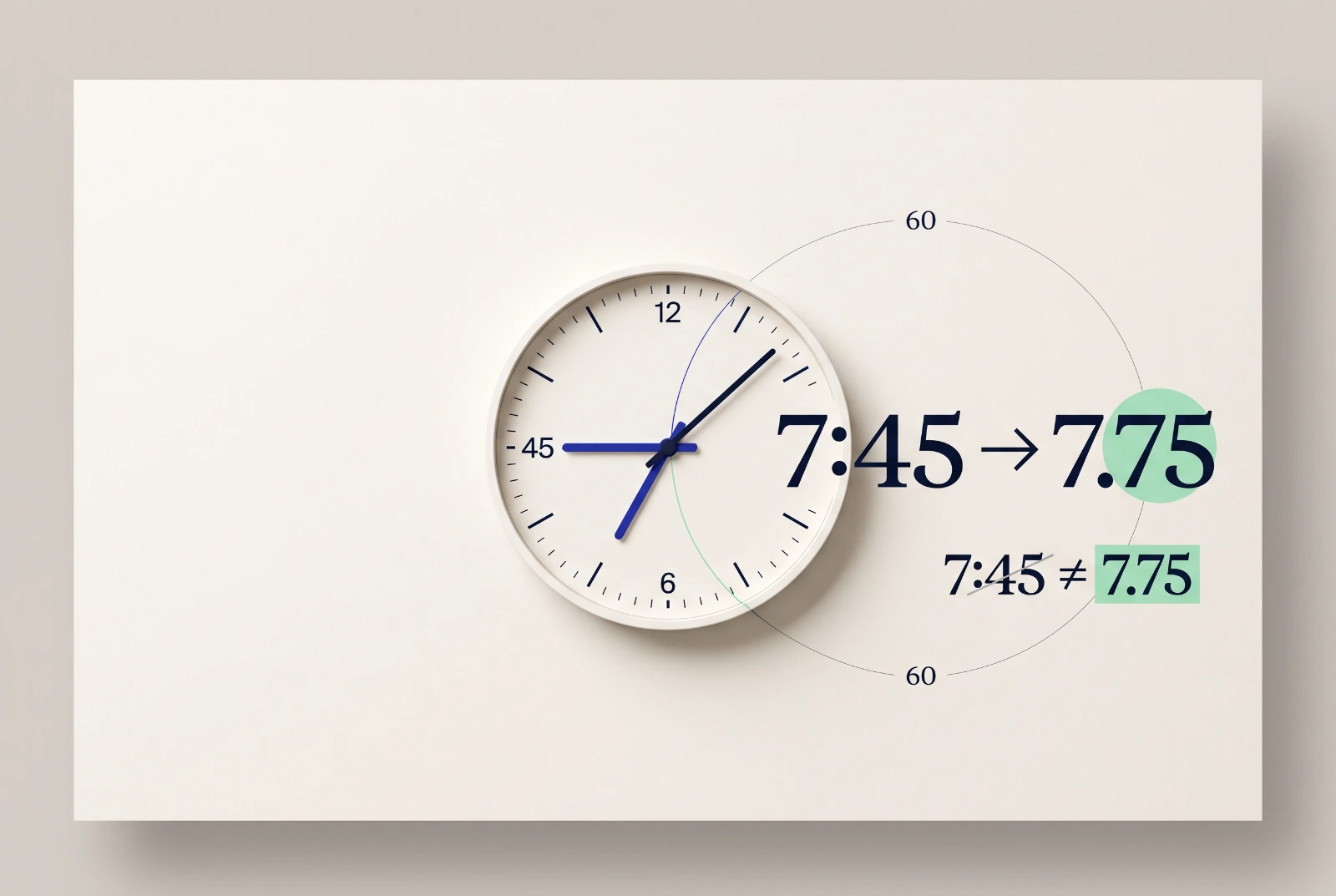
- 7 hours 45 minutes: 45 ÷ 60 = 0.75, so the entry is 7.75 decimal hours.
- 3 hours 20 minutes: 20 ÷ 60 = 0.3333…, rounded to two decimals that is 3.33.
Note what the rule is not: 7 hours 45 minutes is not 7.45. The digits after the colon are minutes out of 60, not hundredths. Typing clock time straight into a decimal field is the single most common timesheet error, and it always shifts the total in someone's favour.
The full minutes to decimal hours chart (1–60)
Every value below is minutes ÷ 60, rounded to two decimal places. Left pair covers 1–30 minutes, right pair covers 31–60.
| Minutes | Decimal hours | Minutes | Decimal hours |
|---|---|---|---|
| 1 | 0.02 | 31 | 0.52 |
| 2 | 0.03 | 32 | 0.53 |
| 3 | 0.05 | 33 | 0.55 |
| 4 | 0.07 | 34 | 0.57 |
| 5 | 0.08 | 35 | 0.58 |
| 6 | 0.10 | 36 | 0.60 |
| 7 | 0.12 | 37 | 0.62 |
| 8 | 0.13 | 38 | 0.63 |
| 9 | 0.15 | 39 | 0.65 |
| 10 | 0.17 | 40 | 0.67 |
| 11 | 0.18 | 41 | 0.68 |
| 12 | 0.20 | 42 | 0.70 |
| 13 | 0.22 | 43 | 0.72 |
| 14 | 0.23 | 44 | 0.73 |
| 15 | 0.25 | 45 | 0.75 |
| 16 | 0.27 | 46 | 0.77 |
| 17 | 0.28 | 47 | 0.78 |
| 18 | 0.30 | 48 | 0.80 |
| 19 | 0.32 | 49 | 0.82 |
| 20 | 0.33 | 50 | 0.83 |
| 21 | 0.35 | 51 | 0.85 |
| 22 | 0.37 | 52 | 0.87 |
| 23 | 0.38 | 53 | 0.88 |
| 24 | 0.40 | 54 | 0.90 |
| 25 | 0.42 | 55 | 0.92 |
| 26 | 0.43 | 56 | 0.93 |
| 27 | 0.45 | 57 | 0.95 |
| 28 | 0.47 | 58 | 0.97 |
| 29 | 0.48 | 59 | 0.98 |
| 30 | 0.50 | 60 | 1.00 |
Two decimals is the standard precision for timesheets and payroll. Some systems accept more decimals; if yours does, 20 minutes is 0.3333 and 40 minutes is 0.6667, but two decimals is accurate to well under a minute and is what most payroll software expects.
Common values at a glance
If you only remember a handful, make it these:
| Minutes | Decimal hours |
|---|---|
| 5 | 0.08 |
| 10 | 0.17 |
| 15 | 0.25 |
| 20 | 0.33 |
| 30 | 0.50 |
| 45 | 0.75 |
The quarter-hour points — 15, 30, 45 — are the friendly ones: 0.25, 0.50, 0.75 exactly, no rounding involved.
Rounding: quarter hours, tenths, and where it goes wrong
Real work rarely ends on a clean quarter hour, so most billing cultures round. Two conventions dominate, and in the US, rounding to the nearest 5 minutes, tenth, or quarter hour is explicitly permitted for payroll under 29 CFR 785.48, as long as it evens out over time rather than shorting employees:
- Quarter hours (0.25): entries are rounded to the nearest 15 minutes, so every value lands on .00, .25, .50 or .75. Common in trades, consulting and payroll because the numbers stay tidy and quarter hours divide evenly into any hourly rate.
- Six-minute increments (0.1): entries are rounded to the nearest tenth of an hour. This is the standard in law firms and many agencies — 6 minutes is one billing unit, 18 minutes is 0.3, and a client can audit the maths at a glance.
Here is the honest part. Rounding each entry up before adding them is not a convention, it is a markup. Ten entries of 7 minutes are 70 minutes of work — about 1.17 hours. Round each one up to a quarter hour first and you invoice 2.50 hours, more than double the time worked. Clients and auditors notice.
The defensible practice is simple: record entries at actual minutes, sum them, and round once at the total, using the convention you agreed with the client or that your payroll requires. If you keep timesheets by hand, our printable timesheet template is set up to total minutes first and convert at the end.
Why decimal hours at all
Because payroll and invoicing are multiplication. Pay is rate × hours; an invoice line is rate × hours. And you cannot multiply by 7:45 — a clock time is a pair of numbers in different bases, not a quantity.
Convert first and the arithmetic works: 7.75 hours × $40 = $310.00. Try the common mistake instead — 7.45 × $40 = $298.00 — and you have quietly underpaid twelve dollars for one shift. Across a team and a month, entering clock minutes as decimals adds up to real money, which is why payroll systems, spreadsheets and invoicing tools all want decimal hours as input.
The same applies in reverse when checking a payslip or an invoice: convert the decimal back to minutes (multiply the fraction by 60) and compare it against the clock times on the timesheet.
Skip the arithmetic entirely
A conversion chart fixes the numbers; a tracker removes the step. Klokly records time with one timer and one click, then exports printable timesheets and CSV files with the totals already computed — nothing to look up, nothing to mistype into payroll. It starts at €2 per seat per month, and you can start a free trial for 14 days without a credit card.
Either way, keep this page bookmarked. When a timesheet and a payslip disagree, the minutes-to-decimal chart above settles it in seconds.
Frequently asked questions
- What is 45 minutes in decimal hours?
- 45 minutes is 0.75 decimal hours, because 45 ÷ 60 = 0.75. So 7 hours 45 minutes is written as 7.75 on a timesheet.
- How do I convert decimal hours back to minutes?
- Multiply the decimal part by 60. For 7.75 hours, 0.75 × 60 = 45, so it is 7 hours 45 minutes. For 3.33 hours, 0.33 × 60 ≈ 20 minutes.
- Is 0.33 or 0.34 correct for 20 minutes?
- 20 ÷ 60 = 0.3333…, and the standard two-decimal convention rounds that to 0.33. Use 0.33 on timesheets; 0.34 is simply wrong under normal rounding.
- Should I round each timesheet entry or the total?
- Round once, at the total. Record entries at actual minutes, add them up, then apply your rounding convention. Rounding every entry up individually inflates the invoiced time and is easy to spot in an audit.
- Why is 7 hours 45 minutes not 7.45 hours?
- Because minutes run to 60, not 100. The 45 after the colon means 45/60 of an hour, which is 0.75 — so 7:45 is 7.75 decimal hours, and writing 7.45 shortchanges the entry by 18 minutes.
Klokly is simple time tracking for teams — EU-hosted, from €2 per seat per month, with printable timesheets built in.
Start your free 14-day trialMore guides
A printable timesheet template that actually gets signed
A copyable weekly timesheet template with the right columns, totals and sign-off line — plus the mistakes to avoid and when to stop filling sheets by hand.
Read →The best task timer for a small business is the boring one
An argument about what "cheap" really means when a five-person business picks a task timer — and where Klokly is the wrong choice.
Read →7 best Toggl Track alternatives, honestly ranked
Seven honest Toggl Track alternatives compared — who each is for, where it shines, and exactly when to skip it, including our own tool, Klokly.
Read →